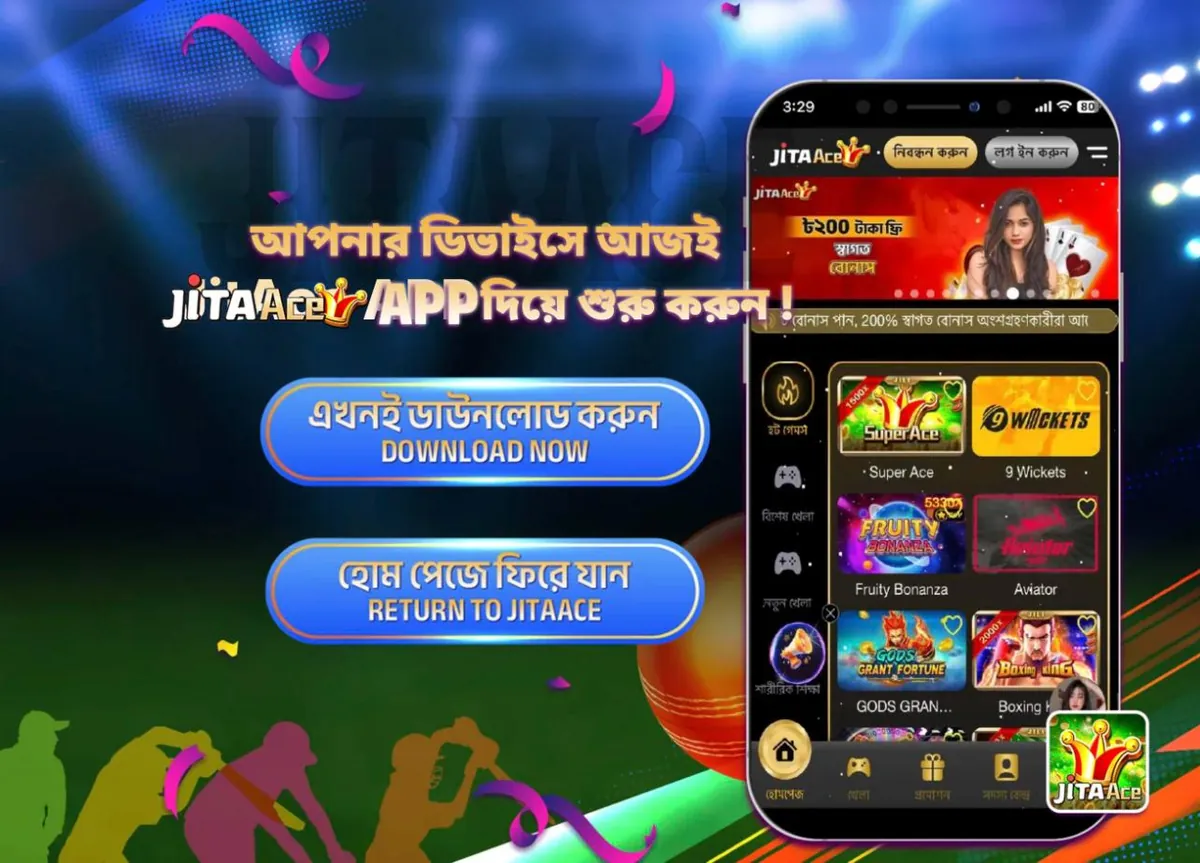
Searching for a JitaAce APK download? The real JitaAce app is not an APK file. It is a web app you install from the official download page, download.jitaace.app, in about a minute. This guide walks you through it on Android and iPhone, and shows you how to avoid fake APK files.
Is There a JitaAce APK File?
No. JitaAce does not release a traditional APK file, and the app is not on Google Play. The official JitaAce app is a progressive web app (PWA): you open the download page in your phone’s browser and add the app to your home screen.
Once installed, it opens full screen from its own Jitaace icon, just like a normal app, and uses the same account as the website. Any site offering a “JitaAce APK” file is not an official source.
How to Install the JitaAce App on Android
- Open Chrome and go to download.jitaace.app.
- Tap DOWNLOAD NOW.
- Confirm Add to Home Screen or Install when your phone asks.
- Open JitaAce from the Jitaace icon on your home screen.
How to Install the JitaAce App on iPhone
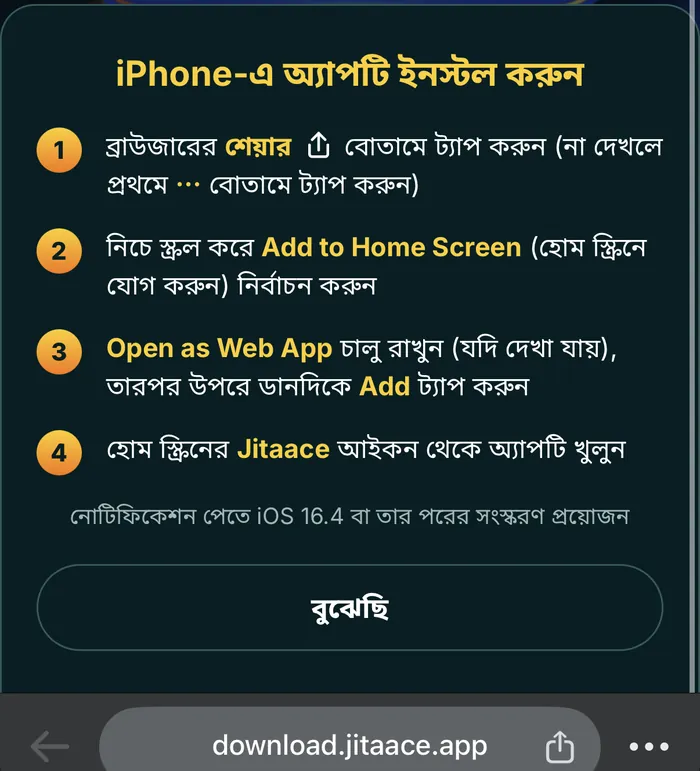
- Open Safari and go to download.jitaace.app, then tap DOWNLOAD NOW.
- Tap the Share button. If you can’t see it, tap ⋯ first.
- Scroll down and choose Add to Home Screen.
- Keep Open as Web App switched on (if shown), then tap Add in the top right.
- Open JitaAce from the Jitaace icon on your home screen.
To receive JitaAce notifications on iPhone, you need iOS 16.4 or later.
Installing from a Computer? Scan the QR Code
If you are browsing JitaAce on a computer, look for the Apple and Android icons in the floating bar on the right side of the official site. Each one shows a QR code; scan it with your phone camera to open the same download page, then follow the steps above.

Why Install the JitaAce App?
- The 300% Welcome Bonus requires the app. It gives 300% up to ৳1,500 on a ৳500 deposit for VIP5+ players (25x wagering, max withdrawal ৳3,000).
- Free promo codes. JitaAce sends random bonus promo codes to players who join its official Telegram group and download the app.
- Push notifications for new promotions and vouchers, once you allow notifications.
- No more hunting for links. The icon on your home screen keeps working when JitaAce changes its web address.
Offers change over time, so check the official promotions page for the current terms.
JitaAce APK vs the Official JitaAce Web App
| Unofficial “JitaAce APK” file | Official JitaAce web app | |
|---|---|---|
| Where it comes from | Unknown websites and file links | download.jitaace.app |
| “Unknown sources” permission | Required on Android | Not needed |
| Updates | Download and reinstall each version | Automatic, loads the latest version every time |
| Works on iPhone | No | Yes |
| Safety | Files can be modified to steal logins | Runs from JitaAce’s own domain |
Is This the Latest Version of the JitaAce App?
Yes, always. Because the JitaAce app is a web app, it loads the newest version every time you open it. There is no “JitaAce APK latest version” to hunt for, and no update file to install.
If something looks out of date, close the app fully and open it again.
How to Spot a Fake JitaAce APK
Fake download pages often rank for “jitaace apk” searches. Watch for these signs:
- An APK file download. The official app has no APK file.
- A “Google Play” page on a strange domain. Some fake pages copy the Play Store design but sit on unrelated university or government subdomains.
- A different app name or developer. Some APK sites list apps under unrelated package names and developers.
- Requests for your password outside the app. Never type your JitaAce password into a site you reached from an ad or a message.
When in doubt, start from download.jitaace.app, the main website jitaace.online or the official navigation page jitaace.net.
JitaAce App Not Working? Quick Fixes
- No “Add to Home Screen” option: on iPhone, make sure you are in Safari, not an in-app browser. On Android, use Chrome.
- The icon disappeared: go back to download.jitaace.app and add it again. Your account is not affected.
- The app won’t load: JitaAce sometimes changes its web address. See our JitaAce login help page for what to do.
বাংলায় JitaAce অ্যাপ ইনস্টল গাইড
JitaAce অ্যাপের কোনো APK ফাইল নেই। এটি একটি ওয়েব অ্যাপ, তাই Google Play থেকে নামানোর দরকার নেই।
- Android-এ Chrome, iPhone-এ Safari খুলে download.jitaace.app-এ যান এবং “এখনই ডাউনলোড করুন DOWNLOAD NOW” বাটনে চাপুন।
- iPhone-এ ব্রাউজারের শেয়ার বাটনে ট্যাপ করুন (না দেখলে প্রথমে ⋯ বাটনে ট্যাপ করুন)।
- নিচে স্ক্রল করে Add to Home Screen (হোম স্ক্রিনে যোগ করুন) নির্বাচন করুন।
- Open as Web App চালু রাখুন (যদি দেখা যায়), তারপর উপরে ডানদিকে Add ট্যাপ করুন।
- হোম স্ক্রিনের Jitaace আইকন থেকে অ্যাপটি খুলুন।
নোটিফিকেশন পেতে iOS 16.4 বা তার পরের সংস্করণ প্রয়োজন।
JitaAce APK FAQ
Is the JitaAce app free to download?
Yes. Installing the JitaAce app from download.jitaace.app is free.
Is it safe to install a JitaAce APK?
An APK file from an unofficial site is not safe, because it can be modified to steal your login. The official JitaAce app has no APK file and installs from download.jitaace.app.
Does the app have all the games from the website?
Yes. The app opens the same JitaAce platform as the website, with the same game lobby, promotions and account.
Do I need a new account for the app?
No. Log in with your existing JitaAce account. If you are new, you can register inside the app.
How much storage does the JitaAce app use?
Very little. Because it is a web app, there is no large APK file to download; the games load when you open them.
Why isn’t JitaAce on Google Play?
JitaAce distributes its app as a web app from its own download page, download.jitaace.app. Any Google Play listing claiming to be JitaAce is not official.
How do I update the JitaAce app to the latest version?
You don’t need to. The web app loads the latest version every time you open it.
Why am I not getting notifications on iPhone?
JitaAce notifications on iPhone need iOS 16.4 or later. Update your iPhone and make sure you opened the app from the home screen icon.